

Customer portal for field service organizations
Let customers track their technician’s arrival time, get real-time updates, and manage appointments —while your team stays focused on the work. Fewer calls. Fewer delays. No added headcount.
Get a demo
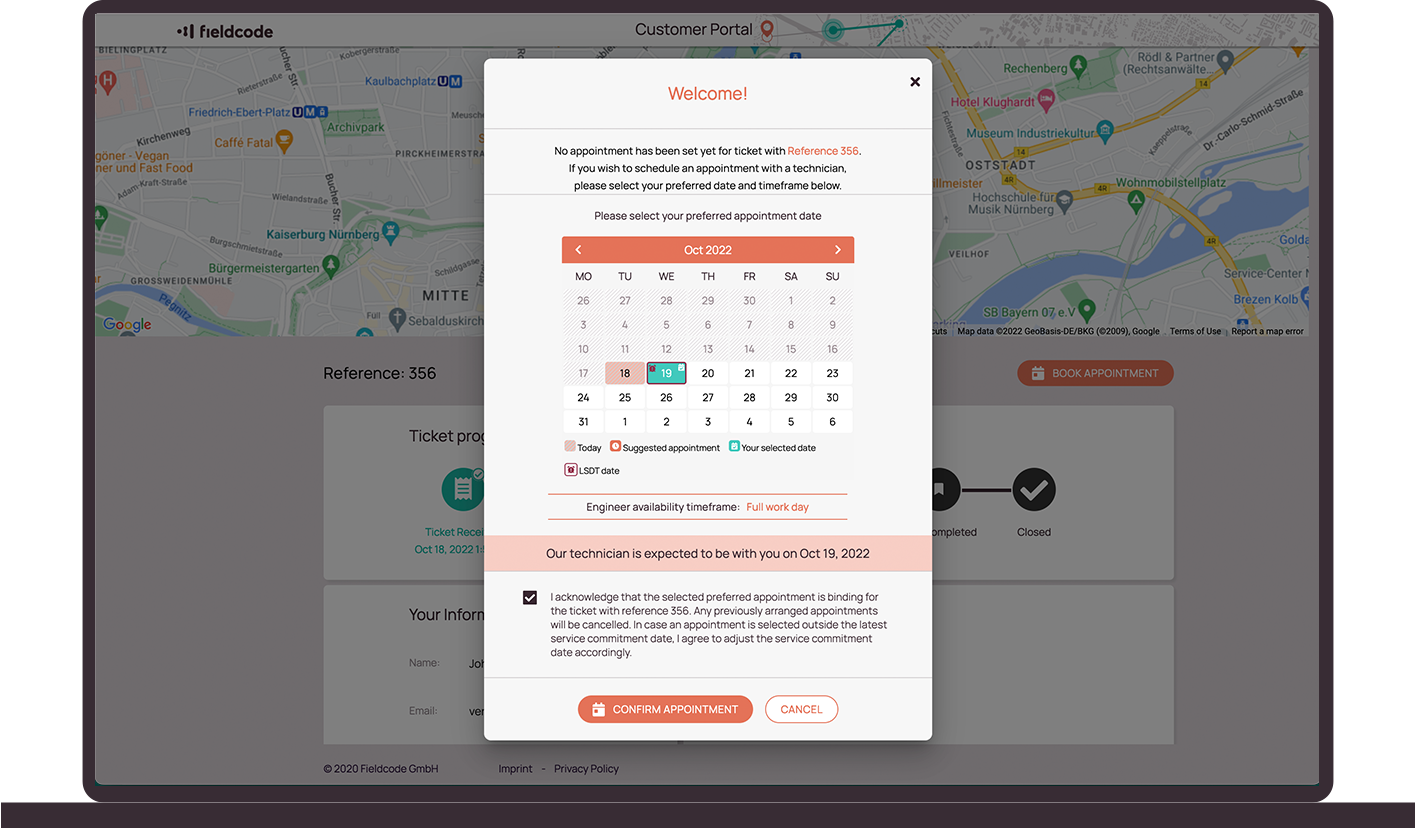
Let customers handle scheduling without adding work to your team
Your customers book, reschedule, or cancel appointments by themselves; no emails or calls needed. Offered time slots reflect real availability, skills, SLAs, and part readiness. When a customer makes a change, the system updates automatically, keeping routes consistent, schedules accurate, and preventing overbooking.
Live technician tracking
No more “Where’s the technician?” calls. Customers can follow their technician’s location and ETA in real time, just like your team does. It builds trust, reduces inbound questions, and keeps everyone aligned.
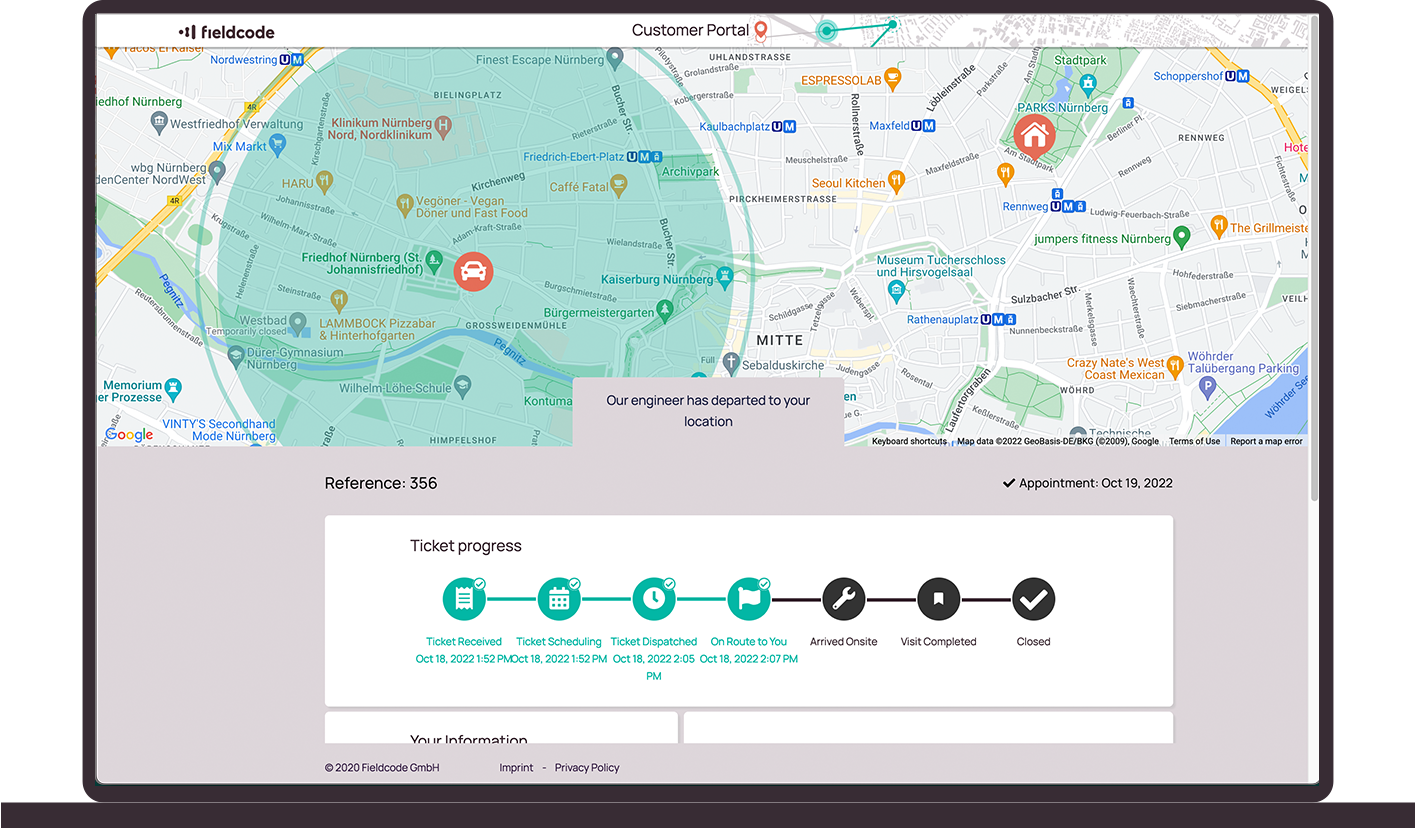
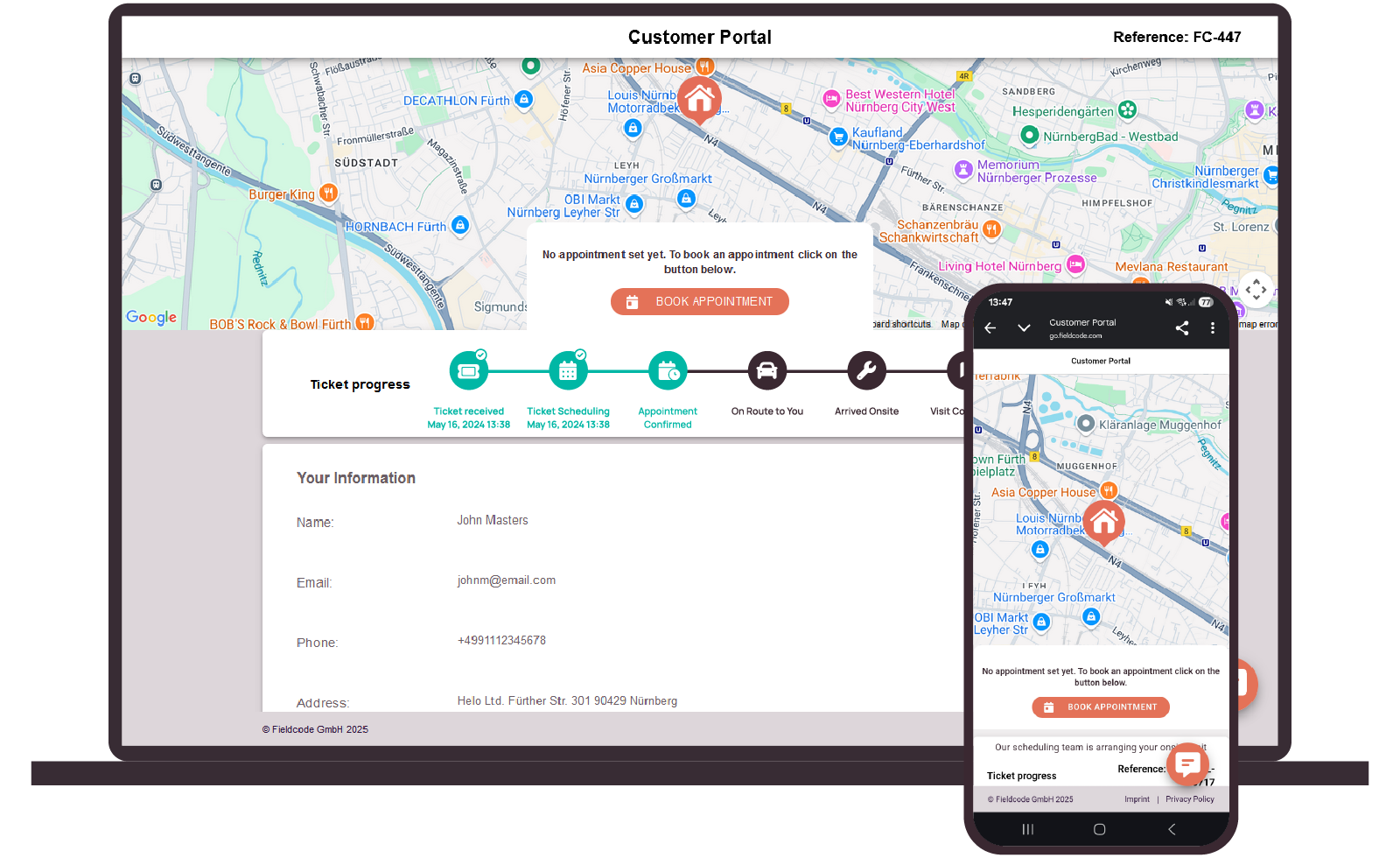
Real-time ticket status and notifications
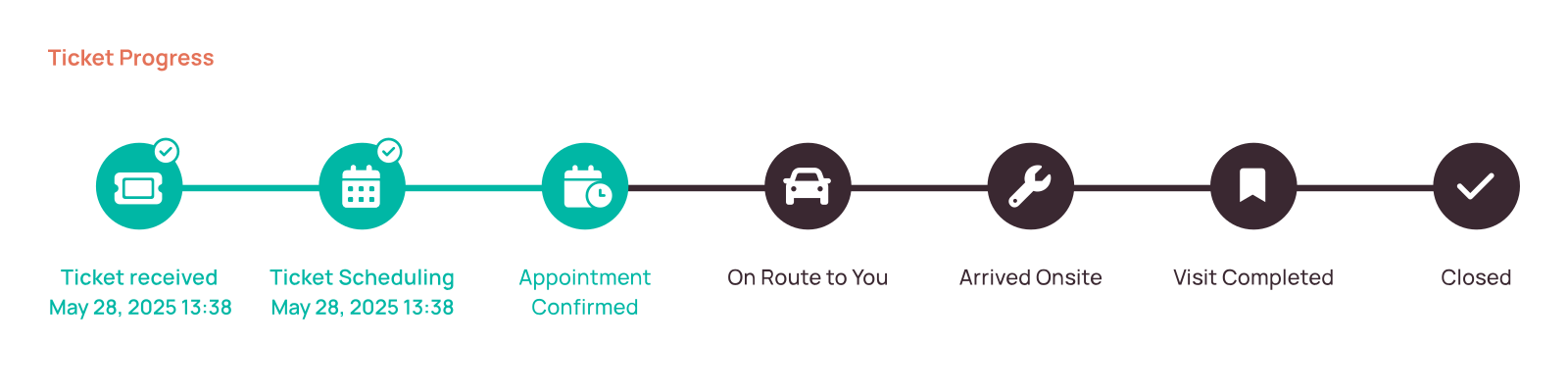
Customers always know what stage their request is in. Ticket statuses update automatically as work moves forward, based on technician activity and internal scheduling changes. Notifications are sent by email or SMS, so customers stay informed at every step.
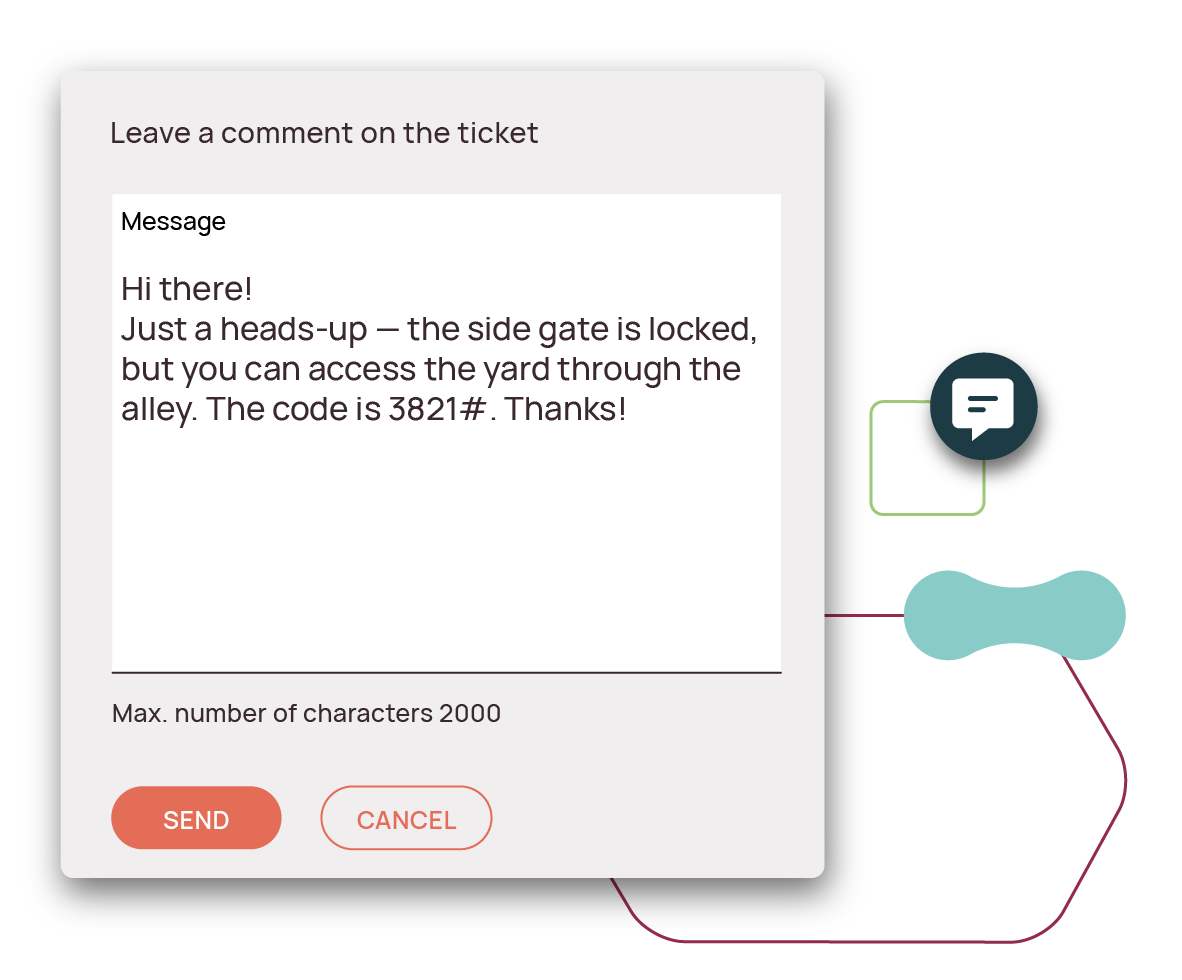
Give customers a way to share extra details
Customers can leave notes, such as gate codes or special access instructions, right in the portal. Their message stays tied to the ticket, so your team sees it where it matters without the back-and-forth.
Customize the portal to fit your business

Custom setup per project
Show different booking options and rules based on customer, region, or job type.

Branded look and feel
Add your company logo and customize messages and booking text.

Booking logic you control
Set time slots, cutoffs, SLAs, and availability based on your requirements.

Role-based visibility
Control who sees what—limit by site, job type, or user role.
A customer portal that grows with your operations
Whether you’re managing a single service team or coordinating jobs across regions, the portal adapts with you. Set up once, and as your services grow, adjust portal rules by project, region, or customer without switching systems or starting over.

What you gain with Fieldcode’s customer portal
- 50% fewer inbound update calls
- Up to 20% fewer missed appointments
- Faster ticket resolution with less manual follow-up
- Higher customer satisfaction through transparency
What makes Fieldcode’s customer portal different?
Other portals show a calendar. Ours shows what’s actually possible.
| Feature | Standard Portals | Fieldcode Customer Portal |
|---|---|---|
| Job status visibility | Static info | Live updates synced with mobile and workflow actions |
| Appointment scheduling | Basic calendar rescheduling | Smart booking based on skills, SLAs, routing, and part readiness |
| Branding & messaging | Generic interface | Add your logo, customize text, adjust booking flow |
| Customization flexibility | One-size-fits-all | Tailored views per project, customer, or region |
| Job creation | Manual entry after booking | Customer bookings instantly trigger system updates |
| Reschedule handling | Manual follow-up needed | Automatically updates routes and schedules |
| Availability logic | Limited or static | Real-time slot filtering and flexible date range options |
FAQ
1. Do customers need to install anything?
No. The customer portal runs in any browser and works on any device. No app or download required.
2. Is the portal easy to use for non-technical customers?
Yes. It’s clean, mobile-friendly, and easy to navigate.
3. Do I need to issue login credentials to my customers?
No, Fieldcode creates a web address which grants access to your customer while the ticket is active. After the intervention is completed, this link becomes invalid.
4. Can we adjust how booking works?
Yes. You can customize time slots, SLA rules, booking logic, and even create different portal versions for different customer groups or projects.
5. What happens when a customer reschedules an appointment?
The system updates automatically, adjusting technician schedules, routing, and availability in real time to prevent overlaps or conflicts.
6. What if a part or technician isn’t available?
The portal checks availability in real time and can block or warn users depending on your rules—so no overbooking or confusion.
See the customer portal in action
Get a closer look at how Fieldcode’s customer portal reduces admin work and helps your team scale—without adding more staff. Book a personalized demo to explore the features and see how it fits your service setup.
Get a demo